

Feature history#
Get the history of a feature from NextGIS Web versioned vector layer. More on versioning. You can enable versionin in the layer settings.
Inputs:
NGW URL - Web address of the Web GIS e.g., https://example.nextgis.com;
Login - NextGIS ID or user login;
Password of that user;
Resource ID of the vector layer resource - numbers at the end of the resource page link;
Feature ID - number of the feature indicated in the
#field of the feature table;Start time - initial timestamp for history (should be in YYYY-mm-dd HH:MM:SS format, optional);
End time - final timestamp for history (should be in YYYY-mm-dd HH:MM:SS format, optional).
Outputs:
Result GeoPackage. GeoPackage file with feature history versions. Each version has the geometry of the feature, attribute values plus additional fields:
vid - number of the version;
author - user who made the changes;
time - date and time of the edits;
action - what happened to the feature: created, updated, deleted, restored.
Launch the tool: https://toolbox.nextgis.com/t/ngw_feature_history
Example:
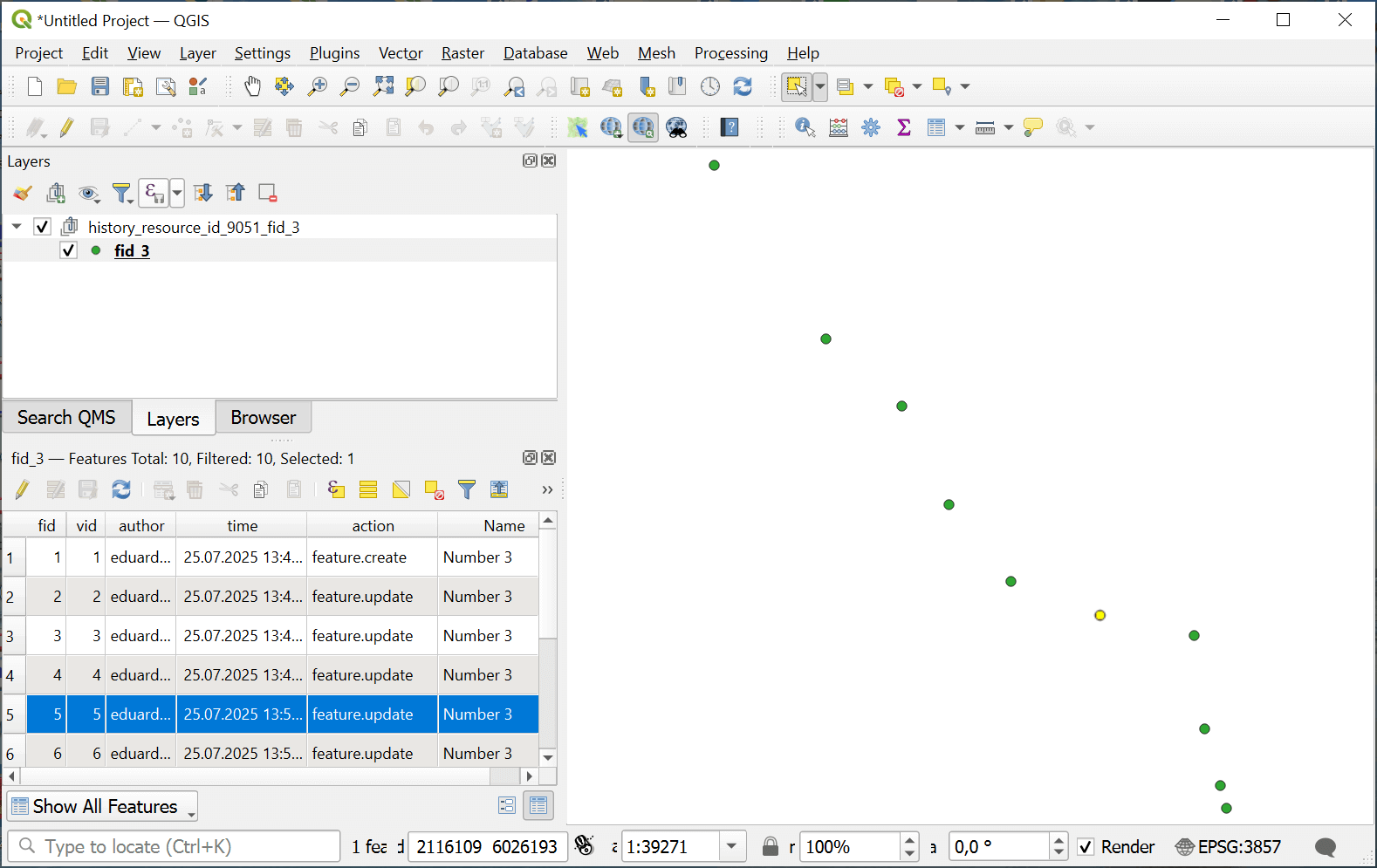
Fig. 201. History of changes for a point feature#
Try the tool in action
Click on the Demo button above the tool form. The fields are filled in with demo values.
Click on the Run button.