Ctrl+K
NextGIS Documentation - Home NextGIS Documentation - Home

NextGIS Documentation

    • Get Started with NextGIS
    • Tutorials
    • NextGIS Toolbox
    • NextGIS Data
    • NextGIS Web
    • NextGIS Web on-premise
    • NextGIS Web 3D
    • NextGIS Toolbox on-premise
    • NextGIS GeoServices on-premise
    • NextGIS ID
    • Plugins for QGIS
    • NextGIS QGIS
    • NextGIS Connect for QGIS
    • NextGIS Mobile
    • NextGIS Collector
    • NextGIS Tracker
    • NextGIS GeoServices
    • NextGIS Web for developers
    • NextGIS QMS Service API
    • NextGIS Tracker hub for developers
Sign in
  • Get Started with NextGIS
  • Tutorials
  • NextGIS Toolbox
  • NextGIS Data
  • NextGIS Web
  • NextGIS Web on-premise
  • NextGIS Web 3D
  • NextGIS Toolbox on-premise
  • NextGIS GeoServices on-premise
  • NextGIS ID
  • Plugins for QGIS
  • NextGIS QGIS
  • NextGIS Connect for QGIS
  • NextGIS Mobile
  • NextGIS Collector
  • NextGIS Tracker
  • NextGIS GeoServices
  • NextGIS Web for developers
  • NextGIS QMS Service API
  • NextGIS Tracker hub for developers
Sign in
  • Get Started with NextGIS
    • Intro
    • Web GIS: Description and Main Features
    • Account
    • Teams
    • How to create Web GIS
    • Subscription
    • Which data formats and protocols are supported in Web GIS
    • How data is managed
    • Demo projects
    • Tutorial: Store, manage and publish your spatial data
    • Tutorial: Seamless QGIS Integration
    • How to upload data
    • How to connect data from external sources
    • How to create map styles for data visualization
    • How to create a Web Map
    • How to embed a Web Map on your website
    • How to publish data using standard protocols
    • How to connect a Lookup table to a vector layer
    • How to manage data with desktop app QGIS
    • How to enable the monitoring of moving objects (tracking)
    • Managing access rights
    • How to begin data collection in your Web GIS
    • How to use Web GIS for creation of end-user apps
    • How to improve translation
    • Toubleshooting
    • Problem Solving (Q&A)
    • How to…
  • Tutorials
    • Tutorial: Store, manage and publish your spatial data
    • Tutorial: Seamless QGIS Integration
    • Tutorial: Collect Spatial Data in the Field
    • Track Asset and Team Locations in Real Time
  • NextGIS Toolbox
    • Introduction
    • Tools
      • Add region and settlement names to attributes
      • Adobe Illustrator (*.ai) to geodata
      • Layer list from DWG / DXF file
      • ASCII raster to GeoTIFF
      • Central lines of polygons
      • Points inside polygons
      • Check geometries
      • Calculate areas of intersection
      • Convert format of vector layer
      • Reproject coordinates
      • Coordinates to polygon
      • Count TMS tiles for polygon
      • Count number of layer intersections
      • Extract elevations from DEM
      • DOC(X) to PDF
      • Prepare and download Sentinel-2 data
      • Landsat Analysis Ready Data (GLAD ARD) download helper
      • Embed SVG into QGS/QML
      • Empty geometries in Web GIS layer
      • Erase overlapping areas from layer
      • Photos with EXIF to NGW layer
      • Change attributes in layer group
      • Fix geometries
      • Strip ZM from vector layer
      • GBIF species observations to geodata
      • Advanced vector generalization
      • Geocode table
      • Geodata to PMTiles
      • Change geometries in layer groups
      • GeoPackage to MapInfo Enhanced TAB
      • GPS track animation for social media
      • Geotag photos using GPX track
      • Clip GPX file by bounding box
      • Split GPX file by days
      • Merge GPX files
      • Split GPX into individual tracks
      • Meter grid
      • Hello, World!
      • iNaturalist species observations to geodata
      • Image classification
      • Image clustering
      • Copernicus Sentinel image search
      • DWG to DXF
      • DWG to DXF (ODA)
      • Improve DEM
      • Intersection registry
      • Join layer and table by field
      • KML to geodata
      • Projection (Dae, Collada) to Shapefile
      • Search and save Landsat-L2C2 scene previews
      • Landsat radiometric calibration
      • Landsat reflectance calculation
      • Vector layers in Web GIS from archive
      • Lines to polygons
      • Temporal polygons from lines and points
      • MapInfo ready for QGIS
      • Vertical map for Social Media
      • Max distance between polygon nodes
      • Marine traffic report
      • Normalized difference index
      • Attribute to description for Web GIS
      • Contribution activity report for resource
      • Duplicate Web GIS layer
      • Feature history
      • Intersection registry for Web GIS
      • Get the layer historical state
      • Manage Web GIS layer structure
      • Merge two Web GIS vector layers
      • Vector layers from Web GIS to GeoPackage
      • Web Map to image
      • Merge vector layers
      • Clip PBF file by bbox
      • Add Google Photosphere XMP metadata to photos
      • Planetary Computer Search & Download
      • Point cloud to tileset
      • Statistics of points and tracks in polygons from NGW
      • Polygons topological simplifier
      • Parse addresses
      • Predict satellite overpass
      • Prepare raster
      • Check geometries (QGIS)
      • Fix geometries (QGIS)
      • Multipart to singleparts
      • QGIS project to PDF
      • Set of squares with transects
      • Raster calculator (GRASS)
      • Raster calculator (GDAL)
      • Tileset from raster
      • Erase features
      • Sentinel-2 scenes to GPKG
      • Spatial Join (Join by location)
      • Split into equal parts
      • Split into rectangles and calculate their number
      • Split at 180th meridian
      • Split Complex Polygons
      • Google Sheets to Web GIS
      • Table to vector file
      • Create temporal cache
      • TROPOMI to GeoTIFF
      • Update Web GIS layer from CSV
      • Prepare vector layer for DataLens
      • Layer intersection
      • Web GIS structure to spreadsheet
      • Web Map to QGIS project
  • NextGIS Data
    • General issues
      • How to order data
      • How to switch accounts
      • How to open the entire map (project)
      • How to open a particular layer
      • How to find the object I need on OpenStreetMap
      • How to get coordinates of a target object
      • How to get municipal boundaries for a target region
      • How to select all of my city’s hospitals on the map
      • How to prepare map for printing
      • How to change the language of labels in OSM data
      • NextGIS Data extracts
    • Our data in other software
      • How to upload data to NextGIS Web with NextGIS Connect
      • How to upload Tileset to NextGIS Web
      • How to open elevation data in QGIS
      • How to load elevation data into QGIS 3D window
      • How to open satellite data in QGIS
      • How to upload data to Google maps
      • How to import data into AutoCAD
      • How to add a layer in AutoCAD Map 3D
      • How to load data in R
      • How to load data in GeoPandas
      • How to open data in Excel
      • How to upload text data into Microsoft Power BI
      • How to load vector layer into Microsoft Power BI
      • How to vizualize data with Highcharts Maps (highcharts.js)
      • How to use data in Leaflet (leaflet.js)
      • How to use data in D3 (d3.js)
      • How to load data into PostgreSQL/PostGIS
      • How to load multiple tables of different regions in PostgreSQL/PostGIS
      • How to load layer into Tableau
      • How to upload data to Blender
      • How to load data into Qlik Sense
      • How to open your project in MapInfo
      • How to open raster data in MapInfo
      • How to open your basemap project in ArcGIS Pro
      • How to open a map or a project in ArcGIS Pro
      • How to upload data to Locus GIS mobile app
    • Data conversion
      • How to change coordinate reference system of the data
      • How to convert file to another GIS format
      • How to change data encoding
    • Solving technical problems
      • When area or distance differs from the expected value
  • NextGIS Web
    • Introduction
    • General Information
    • Main interface
    • Adding resources
    • Gallery
    • Add layers
    • Services
    • Update resource
    • Managing Feature table
    • Edit vector features
    • Styles
      • Map styles examples
    • Creating other types of resources
    • Versioning
    • Vector layer settings
    • Advanced options for uploading vector layer from a file
    • PostGIS
    • WFS, WMS, TMS layers
    • Adding Web Maps
    • Web Map Cloning
    • Web Map viewer
    • Print a Web Map or save as image
    • Embed Web Map on a Web page
    • Web Map Settings
    • Favorites
    • Web Map annotations
    • Managing users
    • Permission system in NextGIS Web
    • Spacial Reference Systems
    • Collector projects
    • Form elements
    • Data collection on premise
    • Trackers settings
    • Cross-origin resource sharing (CORS)
    • Web GIS information
    • Metrics and analytics
    • Design customization
    • How to change Web GIS domain
    • Customize UI Elements (White label)
  • NextGIS Web on-premise
    • System requirements
    • Installation
    • Backups
    • Upgrade
    • Configure
    • Additional information
    • Changelog
  • NextGIS Web 3D
    • Introduction
    • Uploading 3D Models
    • Uploading and storing 3D datasets
    • Uploading elevation data
    • 3D data Styles
    • Creation of 3D scenes
    • Rendering 3D scenes
  • NextGIS Toolbox on-premise
    • Overview
    • System requirements
    • Authorization
    • User interface
    • Tools
    • Administrator manual for NextGIS Toolbox on-premise
  • NextGIS GeoServices on-premise
    • Introduction
    • System requirements
    • Authorization
    • Services
    • Settings
    • Access permissions
    • Installation (Administrator manual)
    • Upgrade
    • Changelog
  • NextGIS ID
    • Introduction
    • Overview
  • Plugins for QGIS
    • Install plugins
    • Update plugins
    • Gather logs in QGIS
    • QuickMapServices: most downloaded QGIS plugin
    • IdentifyPlus
    • NextGIS EasyQuery
    • Digitizr
    • MOLUSCE
    • Geometry Paster
    • OSMInfo
    • Click-Fu
    • DumpLoadField
    • QTiles
    • Connect Points
    • Copy_Coords
    • Points2One
    • Join lines
    • MultiQML
    • Quickly save default QML
    • NextGIS OGRStyle
    • Send2GE
    • OSMPoly_export
    • Shortcut Manager
    • ReconstructLine
    • Wurman Dots
    • QGIS DevTools — debugging QGIS plugins
    • NextGIS Connect
  • NextGIS QGIS
    • Plugins for QGIS
      • Install plugins
      • Update plugins
      • Gather logs in QGIS
      • QuickMapServices: most downloaded QGIS plugin
      • IdentifyPlus
      • NextGIS EasyQuery
      • Digitizr
      • MOLUSCE
      • Geometry Paster
      • OSMInfo
      • Click-Fu
      • DumpLoadField
      • QTiles
      • Connect Points
      • Copy_Coords
      • Points2One
      • Join lines
      • MultiQML
      • Quickly save default QML
      • NextGIS OGRStyle
      • Send2GE
      • OSMPoly_export
      • Shortcut Manager
      • ReconstructLine
      • Wurman Dots
      • QGIS DevTools — debugging QGIS plugins
      • NextGIS Connect
    • NextGIS QGIS
  • NextGIS Connect for QGIS
    • Overview
    • Installation
    • Plugin interface
    • Main Settings
    • Search and filter
    • Upload data to the cloud storage
    • Working with cloud data
    • Edit data
    • Export to file
    • Manage resources
    • Troubleshooting
  • NextGIS Mobile
    • Introduction
    • Installation
    • Authorization
    • User interface (UI)
    • Settings dialogue
    • Adding layers
    • Editing layers
    • Tracks
    • Exporting data
    • Layer settings
    • Integration with NextGIS Web
    • Logging
    • Solving problem (Q&A)
    • Simulation of location data
  • NextGIS Collector
    • Installation
    • Authorization
    • Working with projects
    • Basic operations
    • Advanced tools
  • NextGIS Tracker
    • What the app is for
    • Installation
    • Setting up
    • User interface
    • Track recording
    • Export track as GPX
    • Viewing tracks on a Web Map in Web GIS
  • NextGIS GeoServices
    • Introduction
    • Authorization
    • Basemap services
    • Reissue of API key
  • NextGIS Web for developers
    • NextGIS Web REST API
      • Authorization
      • Resources
      • Create resource
      • File upload
      • Editing
      • Miscellaneous
      • Error reporting
      • Vector layer data types
      • Python API library
      • ogr2ogr
    • NextGIS Web internals
      • Components and environment
      • Modern JavaScript
      • Long-running API requests
      • Internationalization and localization
      • Testing framework
      • Package versioning
      • Database migrations
      • URLs and routes
      • Describing API
      • Code formatting
    • NextGIS Web administrator’s guide
      • Installation
      • Configuration
      • Backup and restore
      • Upgrade
  • NextGIS QMS Service API
  • NextGIS Tracker hub for developers
  • Navigation
  • Tutorials

Tutorials#

Download a starter data kit and follow detailed step-ty-step instructions to get to know NextGIS platform with first-hand experience.
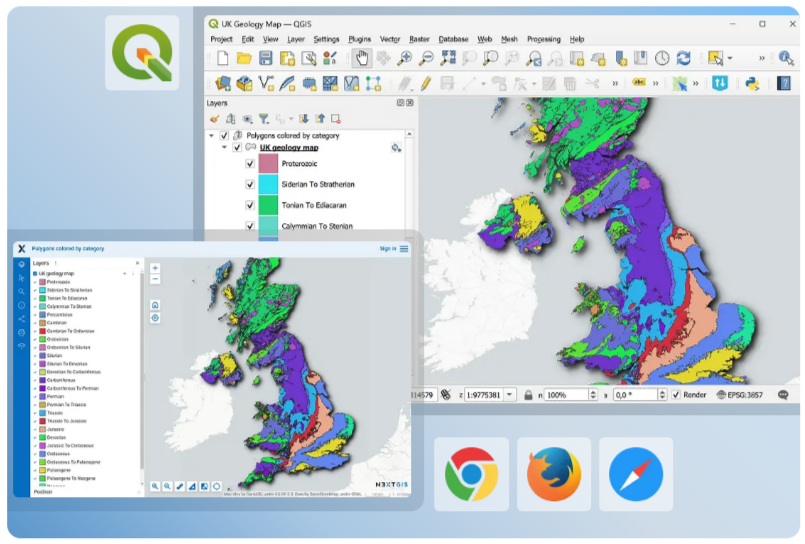
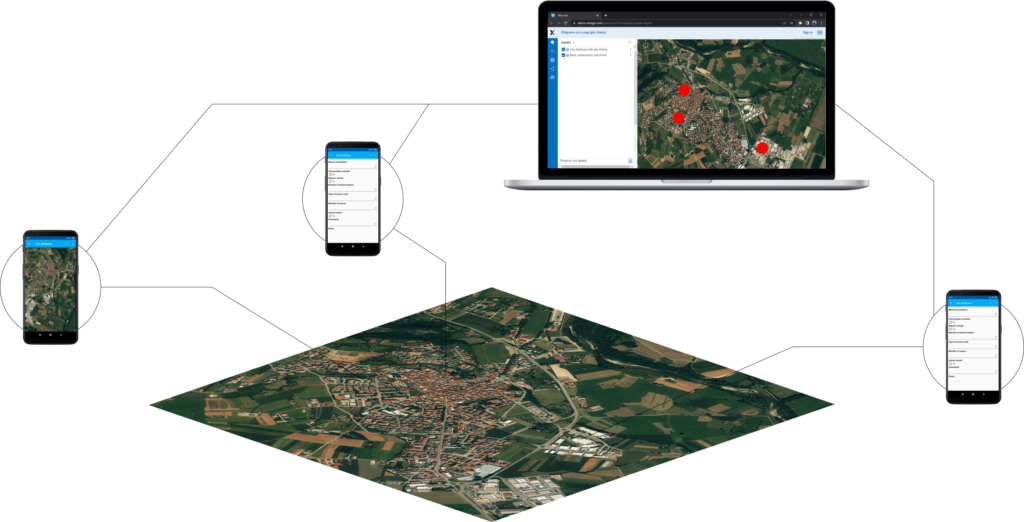
  1. Store, manage and publish your spatial data

  2. Seamless QGIS Integration

../../_images/t2_title_seamless.png
  1. Collect Spatial Data in the Field

../../_images/t3_title_collect.png
  1. Track Asset and Team Locations in Real Time

../../_images/t4_title_track.png
NextGIS Sign in

Products

  • Web GIS
  • Basemaps
  • Mobile
  • Data

Resources

  • Documentation
  • Videos
  • Telegram community
  • Technical support

Company

  • About
  • Blog
  • Contacts
  • Events

© 2011-2026, NextGIS