

Clip GPX file by bounding box#
Clip one GPX file by rectangular area to remove errors from signal bouncing or just trim the data to the exact area of interest.
Inputs:
One GPX file or ZIP archive with one GPX file. Subdirectories are allowed;
Extent bounding box - you can mark it on a map, draw it and then correct the numbers or enter the extent manually following the format ‘xmin, xmax, ymin, ymax’. Enter coordinates in WGS 84 (EPSG:4326), for example
139.75282797783194,35.62931134243268,139.77938217891602,35.677314929949524.
Outputs:
Clipped GPX file.
Launch the tool: https://toolbox.nextgis.com/t/gpxclipbbox
Example:
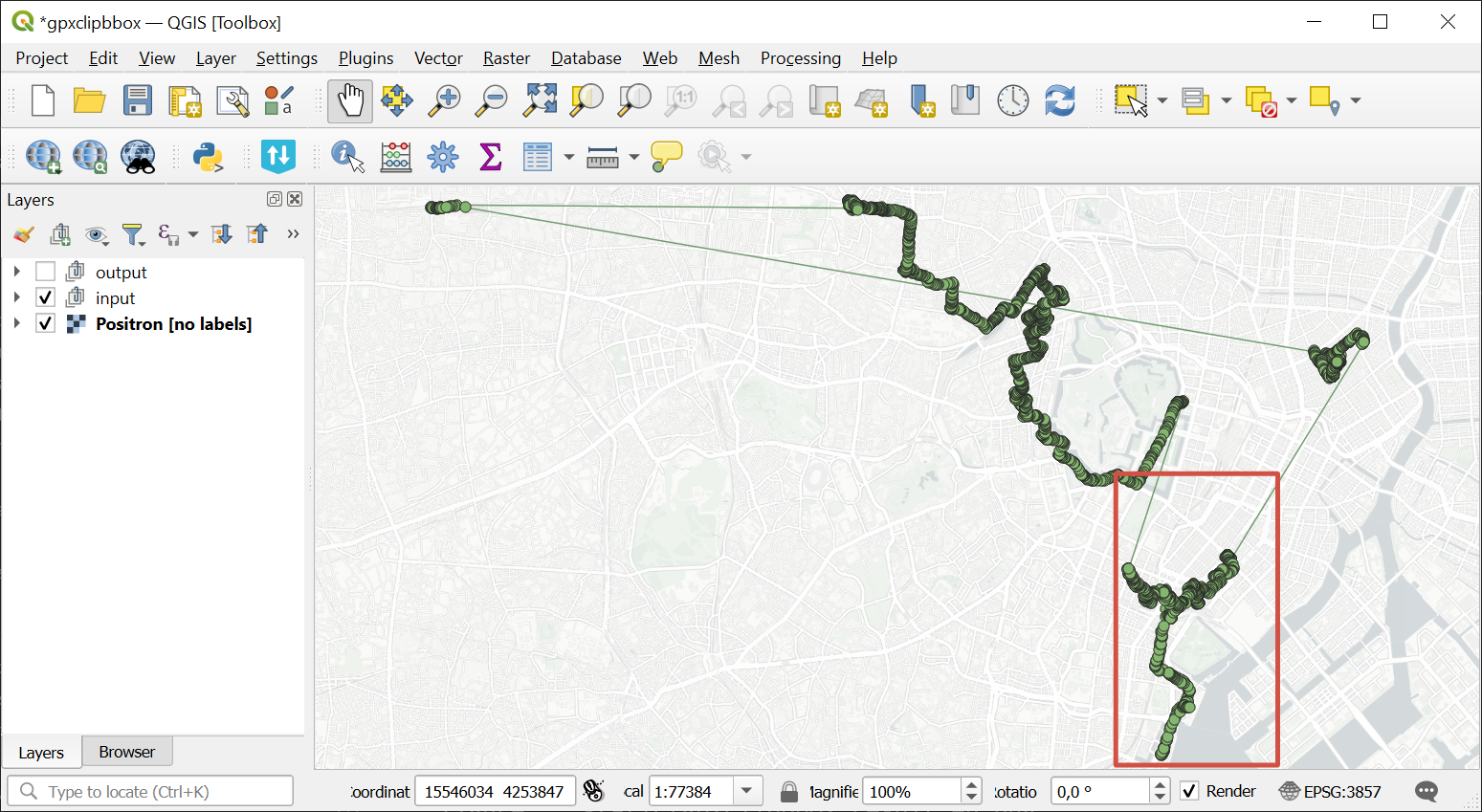
Fig. 165. Example input. The area of iterest is marked in red#
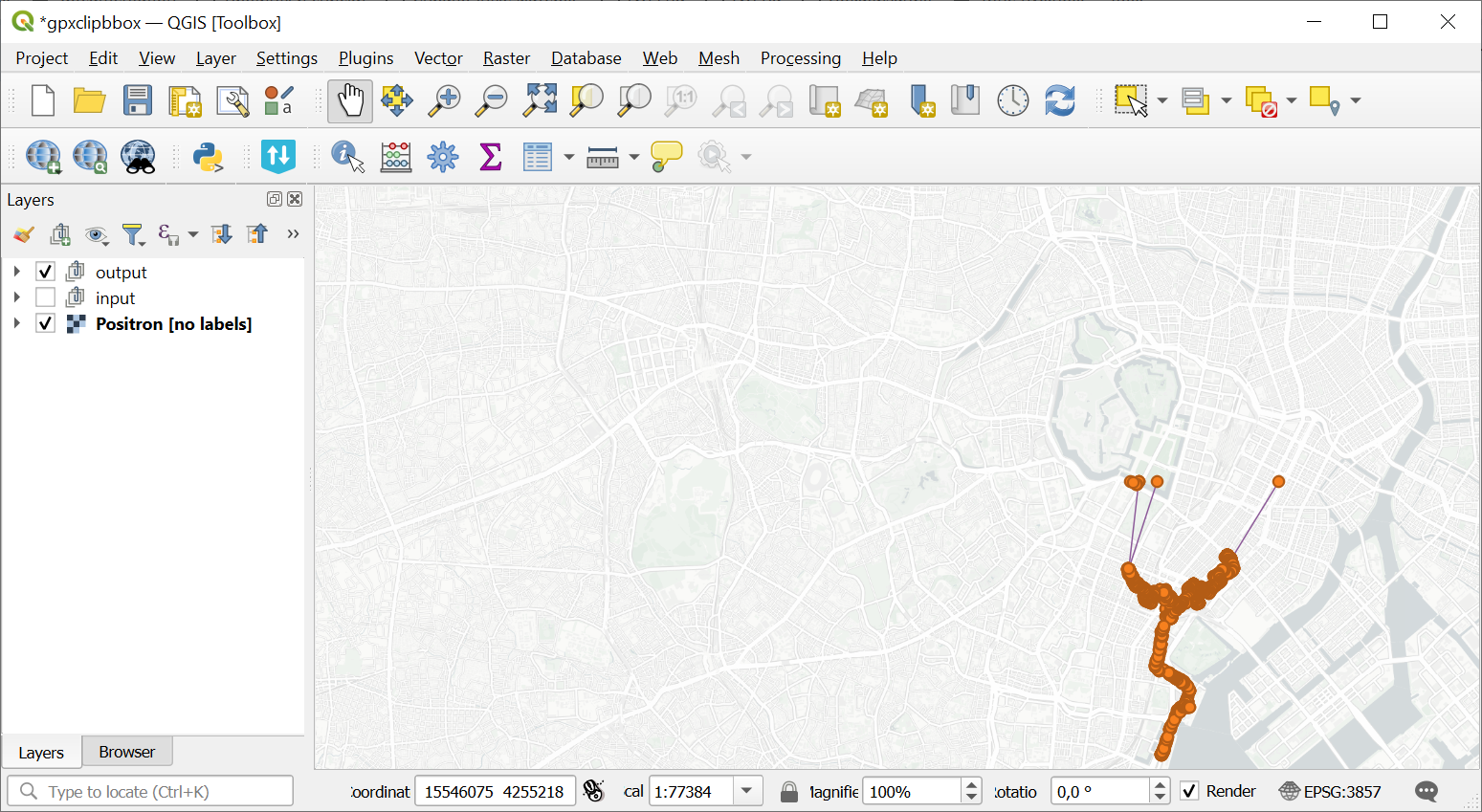
Fig. 166. Example output. Track is clipped by the selected area#
Try the tool in action
Click on the Demo button above the tool form. The fields are filled in with demo values.
Click on the Run button.