

Check geometries#
Checking the vector file for geometry validity. The output is a CSV file with a list of errors and coordinates and a GeoJSON file with geometries of the location of errors.
Inputs:
ZIP archive with vector files.
Single-file formats should be in the root of the archive. For multi-file formats such as ESRI Shapefile, each layer should be put in a separate ZIP inside the main input archive. Input archive may contain mixed files.
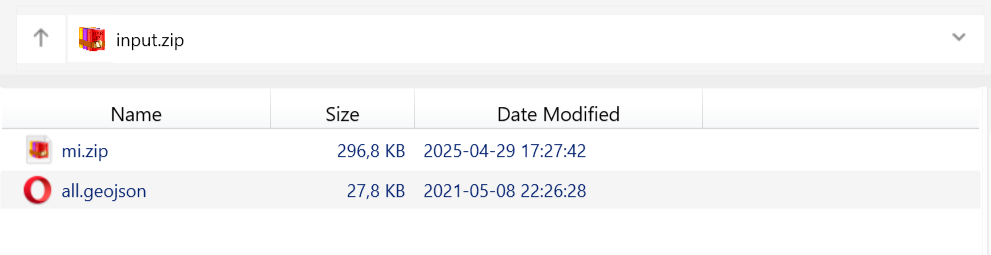
Fig. 133. Example of possible archive structure. Archive input.zip contains a single-file GeoJSON and a zipped MapInfo TAB#
Outputs:
CSV file containing the list of errors;
GeoJSON file with points marking the placement of the errors.
Launch the tool: https://toolbox.nextgis.com/t/check_geometries
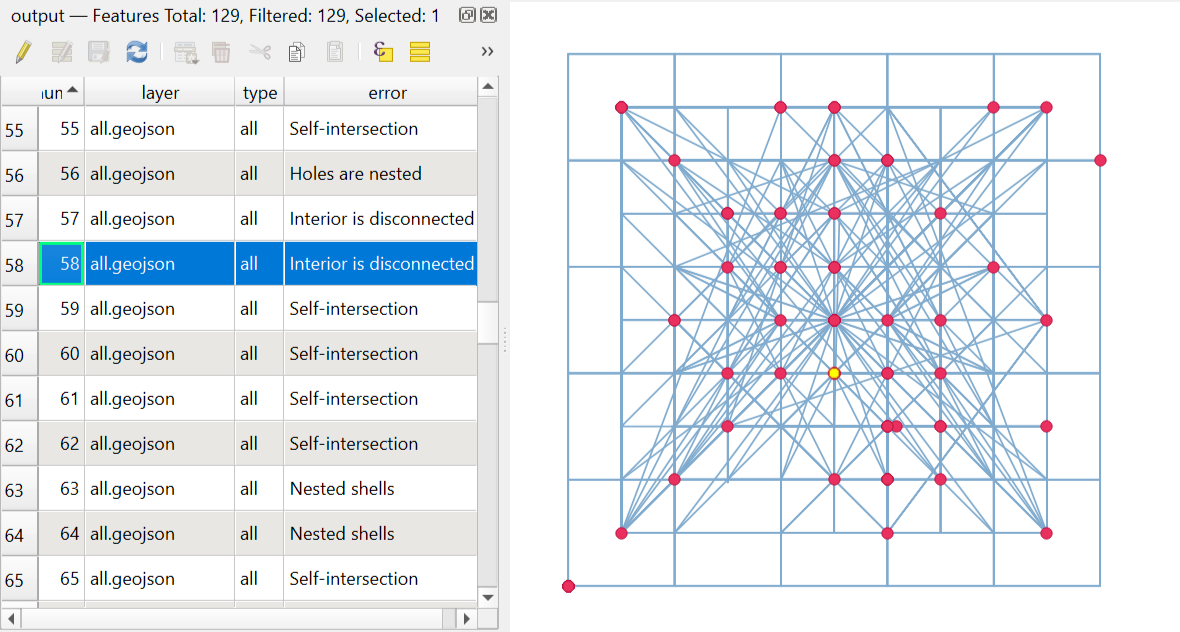
Fig. 134. Example output image#
Try the tool in action
Click on the Demo button above the tool form. The fields are filled in with demo values.
Click on the Run button.