

Generate an image of a cadastral parcel by number#
A tool for generating an image of a cadastral parcel using its number from nspd.gov.ru.
Inputs:
Cadastral number in
06:07:0400001:414or06:07:0400001format.Object type. Available values are: 1 - parcels, 2 - units, 4 - area, 5 - buildings, 10 - restricted zones.
Image width - width of the output image in pixels (default: 827).
Image height - height of the output image in pixels (default: 583).
Fill color. Accepts HTML color names or HEX format (e.g.,
orange,#FFA500). Default: red.Fill opacity for the object. Between 0 (transparent) and 1 (opaque), with decimal point, the default value is 0.6.
Stroke color - color for the object outline. If not specified, the fill color is used. Accepts HTML color names or HEX format (e.g.,
orange,#FFA500).Stroke opacity. Between 0 (transparent) and 1 (opaque), with decimal point, the default value is 1.
Stroke width in pixels, the default value is 1.
QMS ID - ID of a basemap service in NextGIS QMS catalogue (QuickMapServices - https://qms.nextgis.com) to use for the map background. If not specified, defaults to OpenStreetMap. Example:
1300– Satellite imagery,519– Topographic map.
Maximum zoom level used when fitting the layer (default: 18). Valid range: 0 (world view) to 22 (building-level detail). * Padding around the fitted layer in pixels (default: 5),
Output:
PNG image.
Launch the tool: https://toolbox.nextgis.com/t/cadastre2img
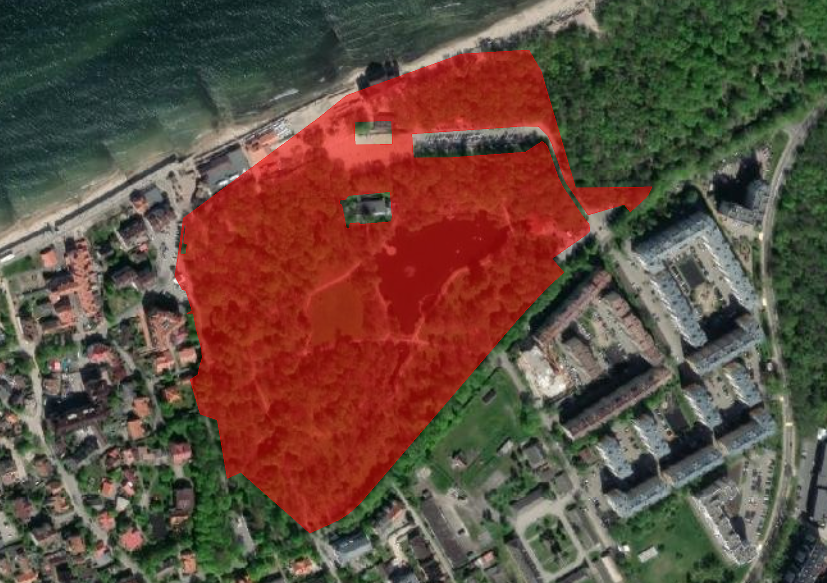
An example image generated by the tool#
Try the tool in action
Click on the Demo button above the tool form. The fields are filled in with demo values.
Click on the Run button.